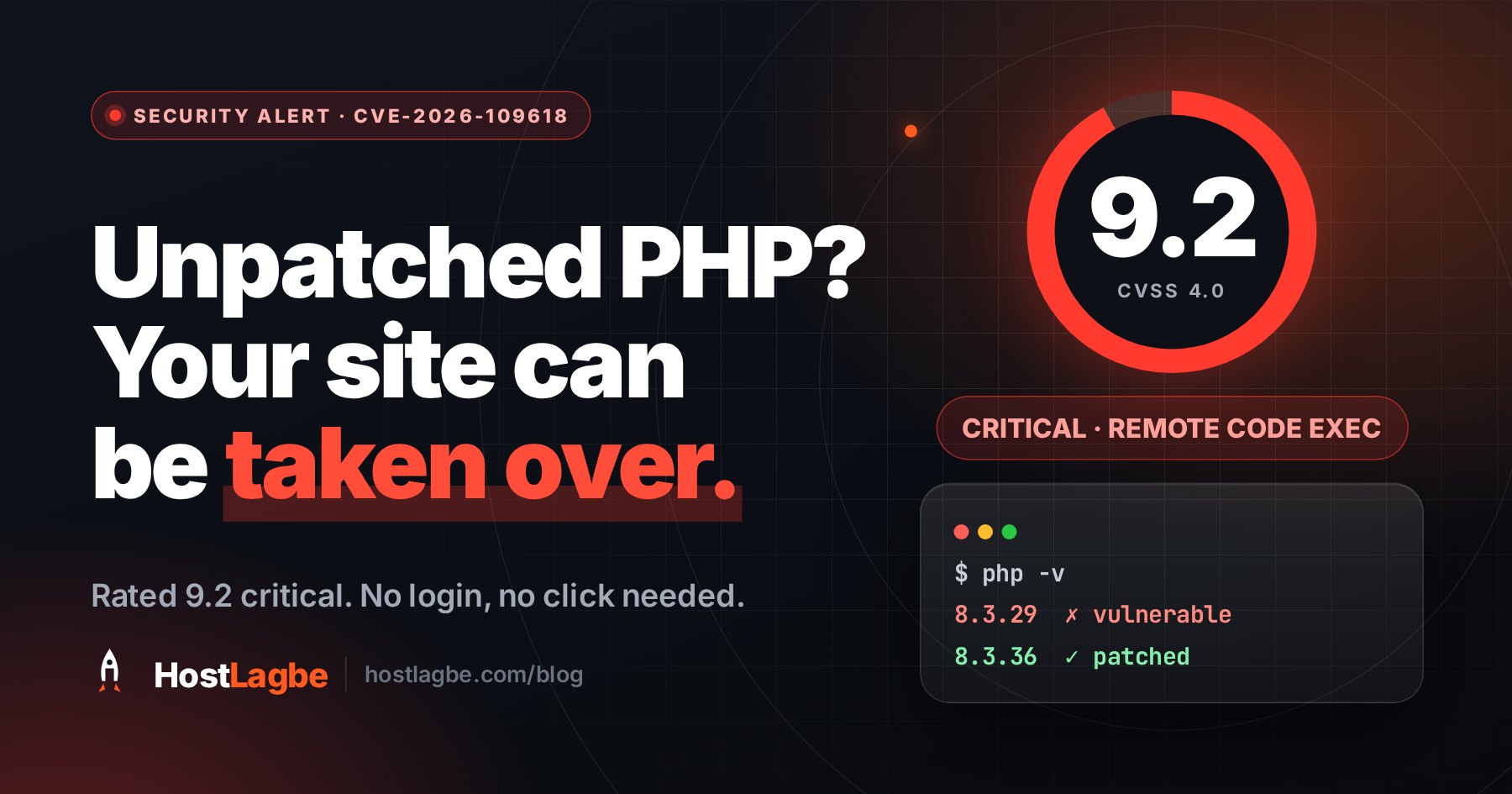
On 21 October 2026 the PHP project released PHP 8.5.12, 8.4.27, 8.3.36 and 8.2.35. They fix two vulnerabilities, CVE-2026-109618 and CVE-2026-109619, that can let someone run their own code on a web server without logging in and without anyone clicking anything. Both are rated 9.2 out of 10.
If your site runs on PHP, and WordPress, WooCommerce, Laravel and WHMCS all do, this one is about you. It is a bug in PHP itself, not in a plugin, so an up-to-date WordPress does not cover it. Here is what is wrong, who is affected, and what to do depending on where your site is hosted.
What the two bugs actually are
CVE-2026-109618 is about running out of memory at the wrong moment. If PHP hits its memory limit while it is still unpacking an incoming request, the cleanup that follows can treat half-built data as if it were valid. An attacker can steer that into code execution. A crafted upload request is enough to cause the memory exhaustion. One variant leaves out the size of the upload, which gets it past PHP's usual upload-size check.
CVE-2026-109619 is about leftovers. A PHP worker process serves many requests one after another. A request that dies with a fatal error, a timeout or running out of memory can leave behind a pointer to memory that has already been freed. If the next request on the same worker uses that leftover before PHP resets it, the attacker gets a foothold. One of the confirmed routes runs through a little-used feature called session upload progress.
The PHP team demonstrated full exploits against Apache's mod_php and confirmed a route against PHP-FPM. They assess LiteSpeed and FrankenPHP setups as likely affected. Neither bug is trivial to exploit, but bugs like these tend to get automated once the details are public. The practical reading is simple: treat any PHP that serves web pages as vulnerable until it is updated.
Which versions are affected
- PHP 8.2, 8.3, 8.4 and 8.5 are vulnerable below 8.2.35, 8.3.36, 8.4.27 and 8.5.12 respectively. Those releases are the fix.
- PHP 8.1, 8.0, 7.x and older get no fix from the PHP project at all, because those branches are end of life. They are only protected if your operating-system vendor backports the patch, as CloudLinux, TuxCare and the major Linux distributions do for the versions they still support.
- PHP 8.2 is fixed this time, but it reaches end of life on 31 December 2026. After that it is in the same position as 8.1.
The attack arrives as a web request. What matters is the PHP version that serves your website, which is not always the one you get when you type php -v on the command line.
How to check what your site runs
On cPanel, MultiPHP Manager shows the PHP branch for each domain. On CloudLinux servers, Select PHP Version may override it. The branch, such as 8.3, is not enough, though, because the patch level is what matters. The reliable check is to ask PHP itself. Create a file called version-check.php in your site's folder containing:
<?php echo PHP_VERSION;Open it in your browser, note the number, and delete the file straight away. Do not use phpinfo() for this. It prints far more than you want a stranger to see, and these files get forgotten.
One caveat: hosts that use CloudLinux or a Linux distribution's own packages often backport the fix into an older-looking version number. If your host says they have patched, ask which build carries the fix rather than comparing numbers yourself.
What to do, depending on where your site lives
Shared or reseller hosting. You cannot patch PHP yourself. Your host does that, and it should happen without you changing anything. Your part is the branch. If your site is still on 8.1 or older, this is the push to move to 8.3 or 8.4. Test on a staging copy or a subdomain first, because old themes and plugins are usually what held you back. It is also fair to ask your host when patched builds are going in.
VPS or dedicated server. Update now, from wherever your PHP came from:
# cPanel / EasyApache
dnf update 'ea-php*'
# CloudLinux alt-php
dnf update 'alt-php*'
# AlmaLinux / Rocky / RHEL / Remi
dnf update 'php*'
# Ubuntu / Debian
apt update && apt upgrade
On Ubuntu and Debian, check your distribution's security notice for the two CVE numbers, because their package versions will not match PHP's own.
Then restart PHP-FPM, or your web server if PHP runs inside it. Worker processes that were already running keep the old code in memory until they restart, so an update without a restart has not finished the job. If you run PHP in Docker, rebuild your image from the patched official base image and redeploy.
If the patched package for your system is not out yet, which is common in the first day or two, use the mitigations below in the meantime.
Mitigations while you wait for a package
These narrow the attack. They do not close it, and the PHP team is explicit that updating is the only complete fix.
- Turn off session upload progress with
session.upload_progress.enabled = 0in php.ini. It is one of the confirmed routes for CVE-2026-109619, and php.net suggests leaving it off even after you patch unless you use it. Very few sites do. WordPress's media uploader, for one, draws its progress bar in the browser and does not need this feature. - On PHP 8.5, set
fatal_error_backtraces = 0. On that version it removes the other confirmed route. - Restart the PHP workers after changing either setting. Otherwise the change does nothing for the processes already running.
- Do not hand PHP uploads of unknown size. Your web server or firewall should refuse upload requests that do not declare their length, or work it out before PHP sees them. In our testing, LiteSpeed Web Server reads the whole request before handing it to PHP and supplies the length itself, which closes that particular variant. Not every setup does this, so check yours.
The advisory also mentions setting memory_limit = -1. Do not do that on a server shared by several sites. It removes the out-of-memory trigger, but one runaway script can then take the whole machine's memory.
What we have done at HostLagbe
Update, 22 October: the steps below are in place on every HostLagbe server, within a day of the advisory.
- Session upload progress is off for every PHP version our servers offer, cPanel's builds and CloudLinux's alike, so it applies whichever version you pick in Select PHP Version. We checked first that no customer site relied on it.
- We checked the sites on each server before and after every change, so a mitigation could not quietly take a site down.
- Patched PHP builds go in as soon as cPanel and CloudLinux publish them. You do not need to do anything for that, and your site stays on the PHP version you chose.
If your site is on PHP 8.1 or older, its fix depends on CloudLinux's extended-support backports rather than on the PHP project. That works, but it is a good reason to plan the move to 8.3 or 8.4. If you are not sure your site will run on a newer version, open a ticket and we will check it with you before you switch.
Sources
- PHP security advisory, 21 October 2026
- GHSA-w8hw-w9fx-j79w: CVE-2026-109618
- GHSA-6wmf-4rv5-p3rp: CVE-2026-109619
Not sure which PHP version your site is on, or whether it will survive an upgrade? Our support team will check it for you.